
Networking & Ingress
Hubfly space networking provides two isolated communication planes: a private project network for secure service-to-service communication, and an opt-in edge proxy layer for public HTTP and TCP ingress.
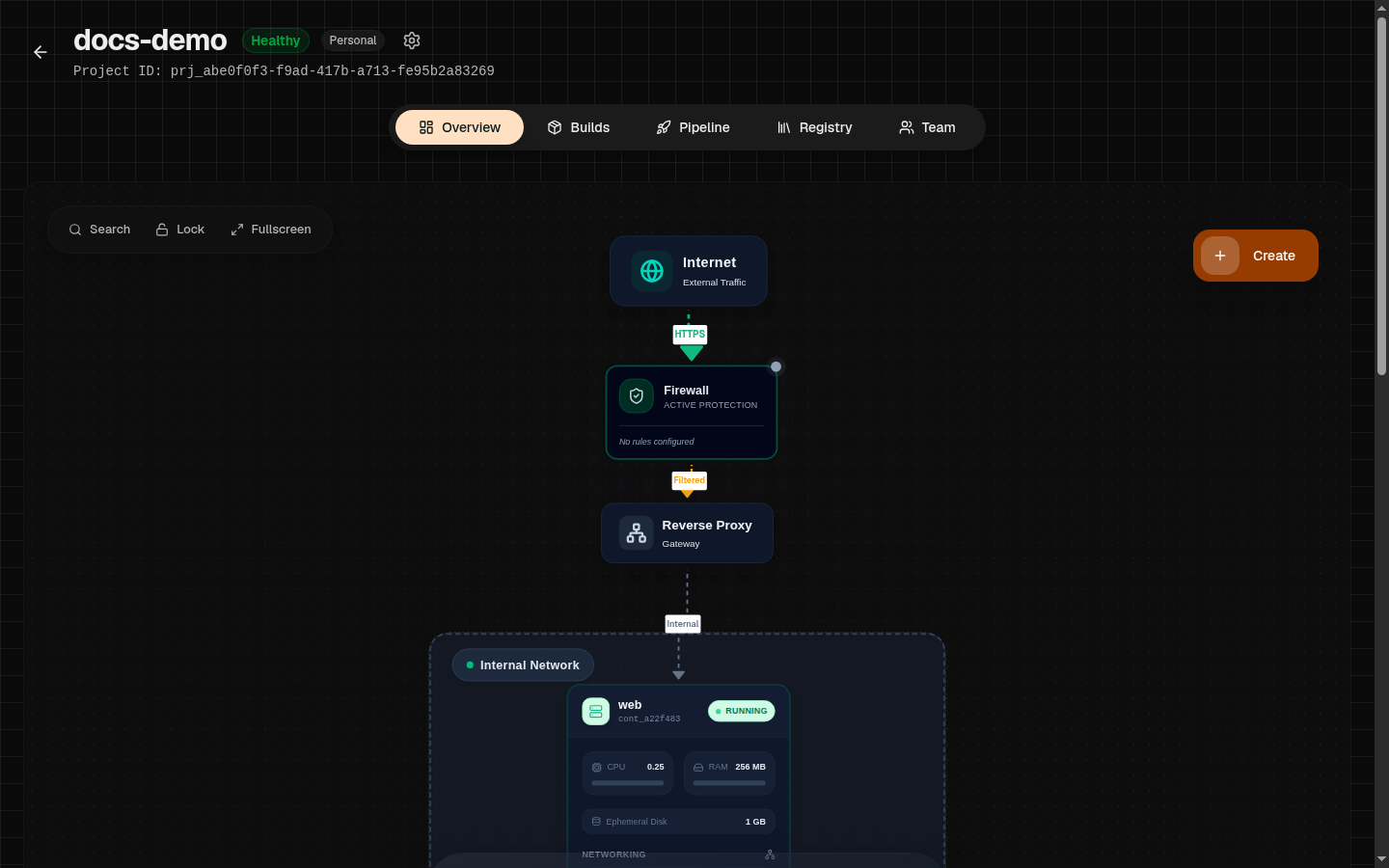
Network Architecture
| Network Plane | Scope & Visibility | Common Use Cases |
|---|---|---|
| Private Project Network | Isolated to containers inside the same project. Unreachable from the public internet. | API to database, backend to Redis, worker to queue, MinIO object storage. |
| Public HTTP Endpoints | Opt-in edge ingress with automated SSL/TLS termination and custom domains. | Web applications, REST/GraphQL APIs, dashboards, webhooks, and routes protected by Hubfly space Identity Access. |
| Public TCP Endpoints | Raw TCP ingress with assigned public entry ports. | Non-HTTP protocols requiring external network connectivity. |
| HubTunnels | Temporary encrypted SSH port-forwarding to private containers. | Database maintenance, administrative debugging, private API inspection. |
Private Project Networking & DNS Aliases
Containers inside the same project communicate over a private overlay network. Hubfly space generates region-scoped internal DNS aliases for every service:
Avoid Localhost Connections
localhost for external dependencies. Inside a container, localhost points to the container itself. Use the target service's internal alias or dynamic reference (e.g. {{service:db.host}}).Exposing Public Endpoints
To accept internet traffic, expose an HTTP or TCP port on your container:
1Open Networking Tab
Select your container in the dashboard and open the Networking tab.
2Select Target Port & Protocol
Choose your container port (e.g. 3000 or 8080) and select protocol (HTTP or TCP).
3Configure SSL & Edge Rules
Enable SSL and Force HTTPS redirection for HTTP endpoints. Optionally attach edge templates like security-headers or basic-caching.
Custom Domain Verification & DNS
Attach a custom domain (e.g. api.example.com) by pointing DNS records to Hubfly space's edge ingress:
- CNAME Record: Point your subdomain (e.g.
api) toingress.hubfly.space - TXT Verification: Add the TXT verification record provided in the dashboard to confirm domain ownership.
- Automated TLS: Once DNS propagates, Hubfly space automatically provisions and renews Let's Encrypt SSL certificates.
Protecting Public Routes
Public HTTP endpoints and load balancer domains can be protected with Hubfly space Identity Access. Identity policies run at the edge before traffic reaches your upstream service and can require a signed-in Hubfly space user, a route-scoped API key, or either access method.