
Compose Stacks
Compose Stacks let you deploy multi-service applications as a single coordinated system inside a Hubfly space project. Use Compose when your application consists of connected containers: an API with PostgreSQL, a web app with Redis and workers, an object storage stack with MinIO, or a deployment that requires a migration job before launch.
Managed Infrastructure Engine
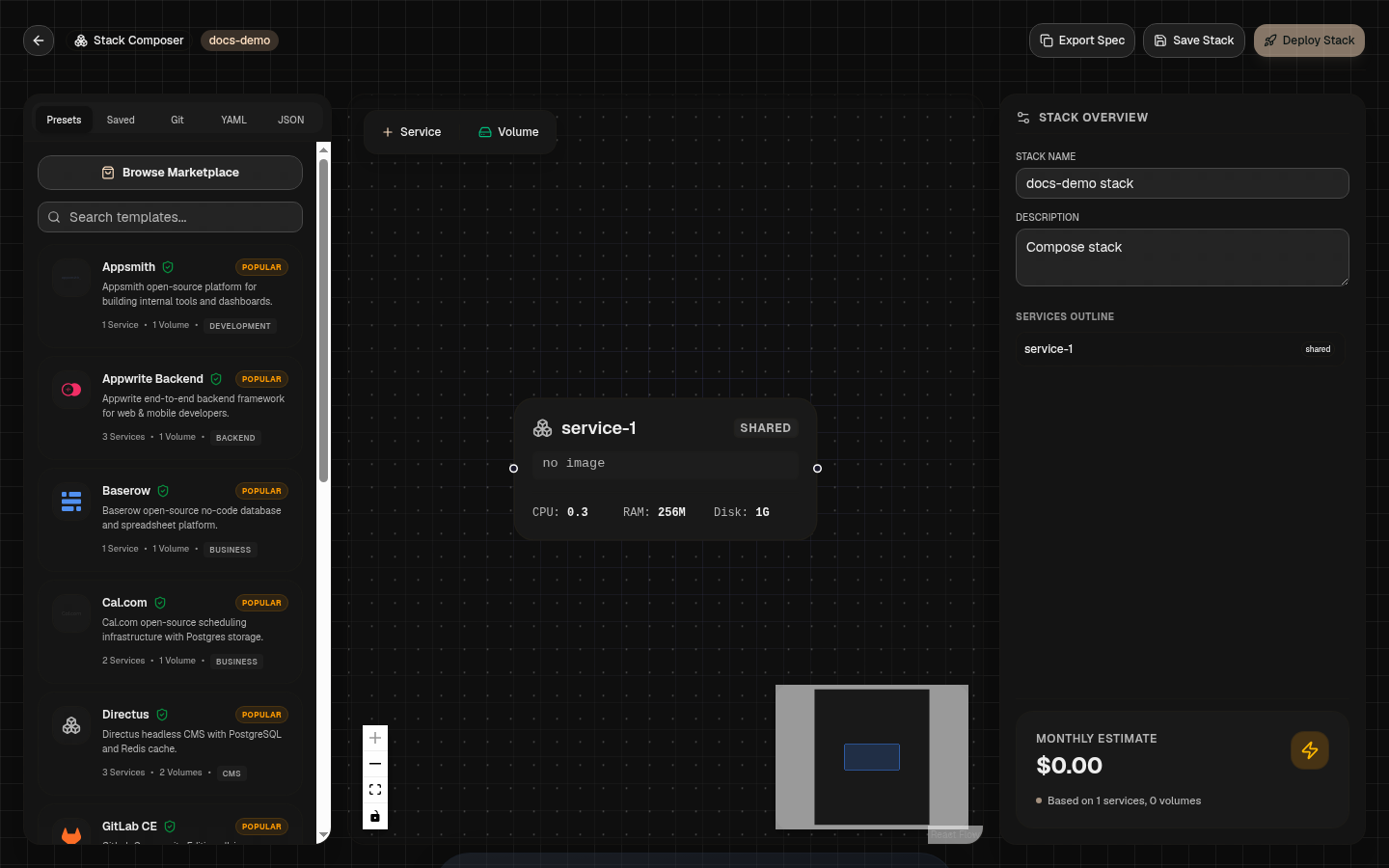
Ways To Create A Compose Stack
Docker Compose YAML Import
Import existing docker-compose.yml files directly. The importer parses services, images, environment variables, exposed ports, named volumes, health checks, and dependency rules.
GitHub Compose
Connect a GitHub repository containing a docker-compose.yml file. Supports building custom services from repository subfolders (build:) and pulling image services.
Dependency Gates & Startup Ordering
Compose stacks use depends_on conditions to control the exact sequence in which containers are started:
| Dependency Condition | Execution Behavior | Production Use Case |
|---|---|---|
service_started | Starts dependent service immediately after target container process launches. | Basic process ordering without readiness validation. |
service_healthy | Waits until the target container's healthcheck probe succeeds. | Databases (PostgreSQL, MySQL), Redis caches, queues before API launch. |
service_completed_successfully | Waits until a job container completes with exit code 0. | Database migration jobs, seed scripts, index setup tasks before web launch. |
Dynamic Service References
Pass runtime hostnames and IPs between services without hardcoding static addresses using template variables:
Example Production Compose Stack
Here is a complete Compose definition featuring a private database, migration job, and web service:
services:
  db:
    image: postgres:16
    environment:
      POSTGRES_DB: production
      POSTGRES_USER: app_user
      POSTGRES_PASSWORD: change_me_secret
    volumes:
      - postgres-data:/var/lib/postgresql/data
    healthcheck:
      test: ["CMD-SHELL", "pg_isready -U app_user"]
      interval: 10s
      timeout: 5s
      retries: 5

  migrate:
    image: ghcr.io/acme/api:v1.4.0
    command: ["npm", "run", "db:migrate"]
    restart: "no"
    depends_on:
      db:
        condition: service_healthy

  api:
    image: ghcr.io/acme/api:v1.4.0
    ports:
      - "3000:3000"
    environment:
      DATABASE_HOST: "{{service:db.host}}"
      DATABASE_PORT: "5432"
    depends_on:
      migrate:
        condition: service_completed_successfully

volumes:
  postgres-data:
Host Bind Mounts Policy
./src:/app) are skipped during Compose import. Production containers must use prebuilt Docker images or named managed volumes for data persistence.Native Hubfly space ComposeSpec v1.0 JSON Schema
In addition to standard Docker Compose YAML files, Hubfly space supports a native JSON format (ComposeSpec v1.0) with support for hardware tier specs, discriminated container source types (Docker images, template IDs, Git builds), auto-scaling, auto-sleep runtimes, and Linux security capability rules.