
Load Balancers
Hubfly space Load Balancers distribute public traffic across multiple backend container targets behind a single custom domain or managed endpoint. Use them to scale application request throughput, distribute load across replicas, or manage blue/green traffic shifts.
Load balancers are created from the project overview's Create menu, which opens the Topology Studio editor — a single dialog for naming the balancer, wiring ingress domains on the left, and adding weighted backend targets on the right.
Balancing Algorithms
Pick a strategy from the Studio editor's Strategy dropdown when configuring the balancer node:
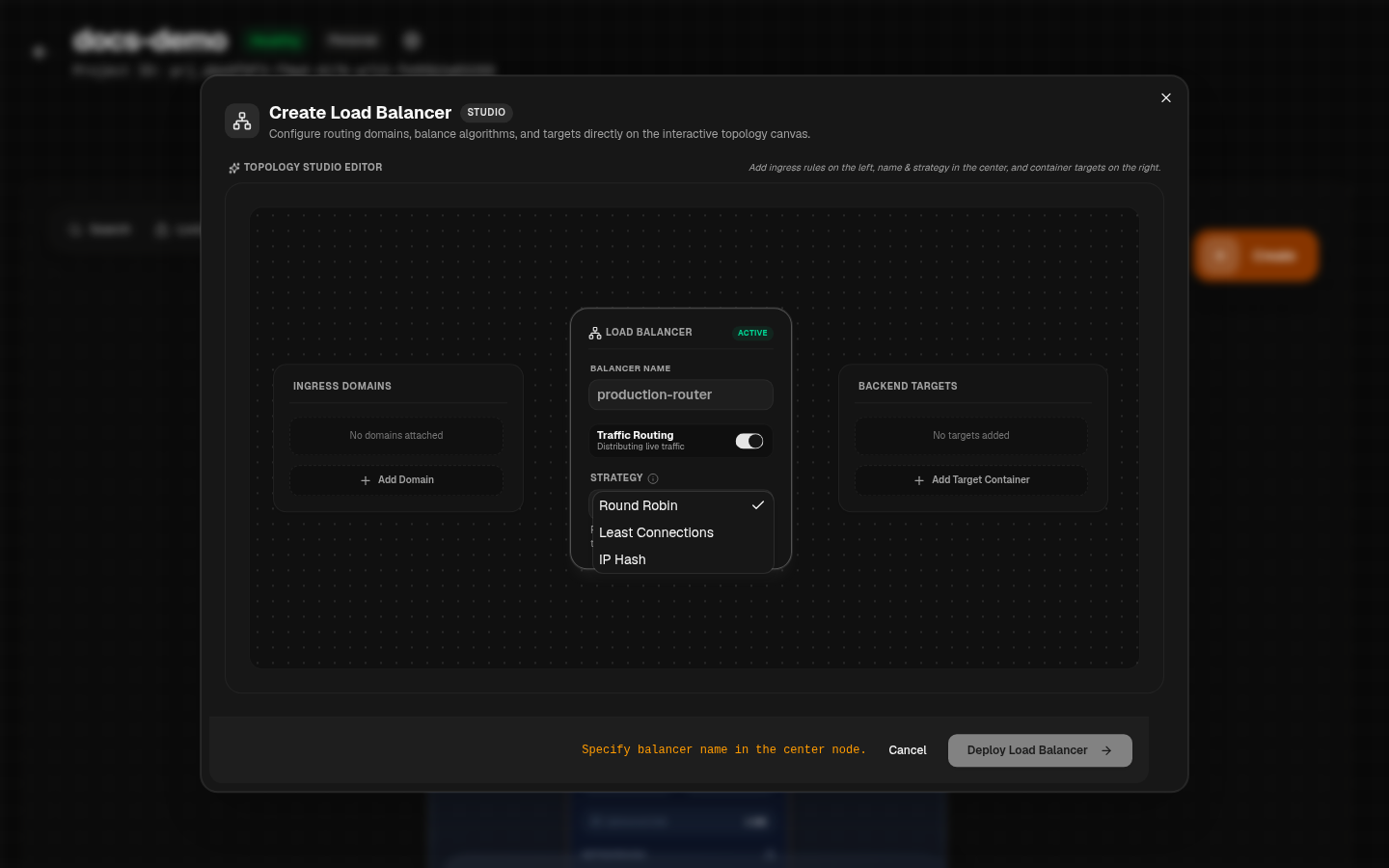
| Algorithm | Routing Strategy | Best Use Case |
|---|---|---|
round_robin | Distributes inbound requests sequentially across active target containers. | Stateless web applications and REST APIs with uniform hardware capacity. |
least_conn | Routes new connections to the target container with the lowest active connections. | Long-lived HTTP connections, WebSockets, or variable processing workloads. |
ip_hash | Binds client requests to the same target container based on client IP. | Workloads requiring sticky client sessions or local cache affinity. |
Target Weights & Zero-Downtime Rollouts
Assign integer weights (e.g. 1 to 10) to backend targets to perform weighted traffic distribution.
Canary Release Pattern
- Deploy
api-v2next to existingapi-v1targets. - Add
api-v2to the load balancer group with a low weight (e.g.weight: 1vsweight: 9). - Monitor error rates and latency logs on
api-v2. - Gradually increase weight to 100% and detach
api-v1.
Health Checks & Target Isolation
Load balancers evaluate target readiness using lightweight health check probes (e.g. /health or /ready). If a target container fails health checks, it is automatically removed from the active routing pool until it recovers.